> For the complete documentation index, see [llms.txt](https://docs.ispecalgo.com/llms.txt). Markdown versions of documentation pages are available by appending `.md` to page URLs; this page is available as [Markdown](https://docs.ispecalgo.com/en/isa-terminal/baza-znanii/logirovanie-v-isa.md).

# Logs

Logs show terminal and bot activity: exchange connections, API errors, order placement, strategy starts and other events. If something fails, check logs first.

## Log types

| Type    | Meaning                                               |
| ------- | ----------------------------------------------------- |
| Info    | A normal event: startup, connection or bot action     |
| Warning | Something needs attention, but operation may continue |
| Error   | An action failed or the terminal received an error    |

## General logs

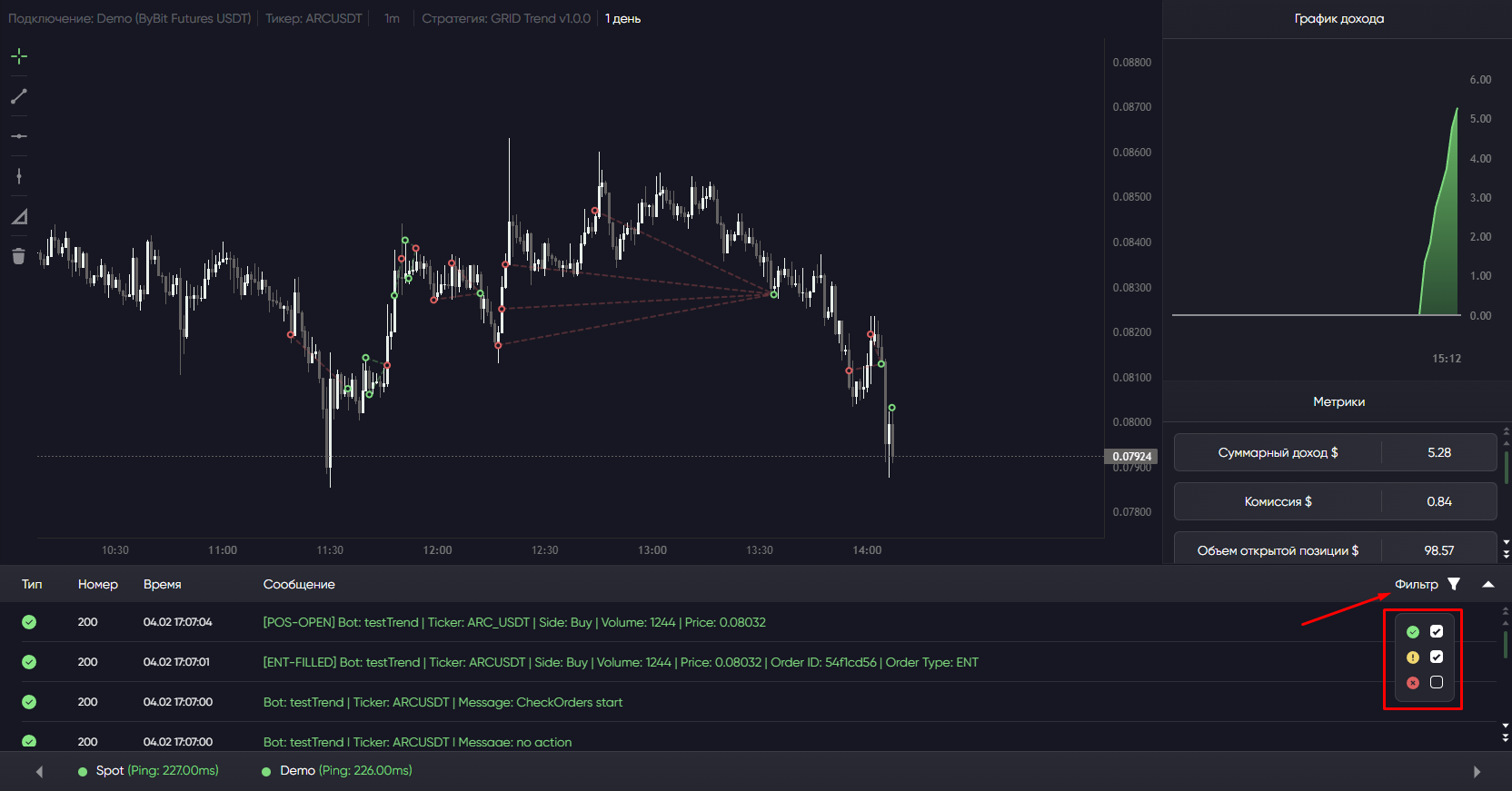
General logs appear in the bottom program window.

<figure><img src="https://4082298987-files.gitbook.io/~/files/v0/b/gitbook-x-prod.appspot.com/o/spaces%2FKc7Nf016DOaUrQGQAD20%2Fuploads%2Fgit-blob-d7d4028224c158ad3abae7082d1aa2a3f6a0ee81%2FScreenshot_2450.png?alt=media" alt="General terminal logs"><figcaption></figcaption></figure>

Collapse or expand the window:

<figure><img src="https://4082298987-files.gitbook.io/~/files/v0/b/gitbook-x-prod.appspot.com/o/spaces%2FKc7Nf016DOaUrQGQAD20%2Fuploads%2Fgit-blob-9dd52af1dc03bf9b71a475dfc302526ab6b3b81b%2FScreenshot_2451.png?alt=media" alt="Collapse logs button"><figcaption></figcaption></figure>

Use the filter to narrow the list:

<figure><img src="https://4082298987-files.gitbook.io/~/files/v0/b/gitbook-x-prod.appspot.com/o/spaces%2FKc7Nf016DOaUrQGQAD20%2Fuploads%2Fgit-blob-8449fd5966f896a97512bbc3a79982757c9735d7%2FScreenshot_2452.png?alt=media" alt="Log filter"><figcaption></figcaption></figure>

## Logs for one bot

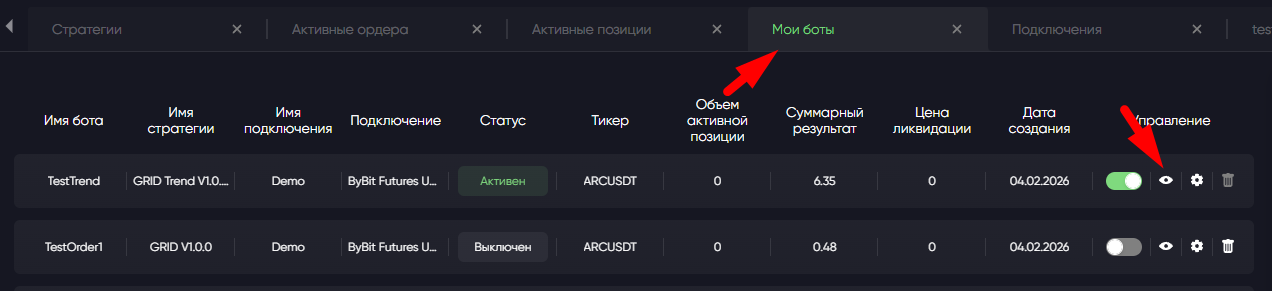
Open the bot viewer:

<figure><img src="https://4082298987-files.gitbook.io/~/files/v0/b/gitbook-x-prod.appspot.com/o/spaces%2FKc7Nf016DOaUrQGQAD20%2Fuploads%2Fgit-blob-fe0265ce4b96299f87aef777ba975bcb684caaa8%2FScreenshot_2454.png?alt=media" alt="Open bot viewer"><figcaption></figcaption></figure>

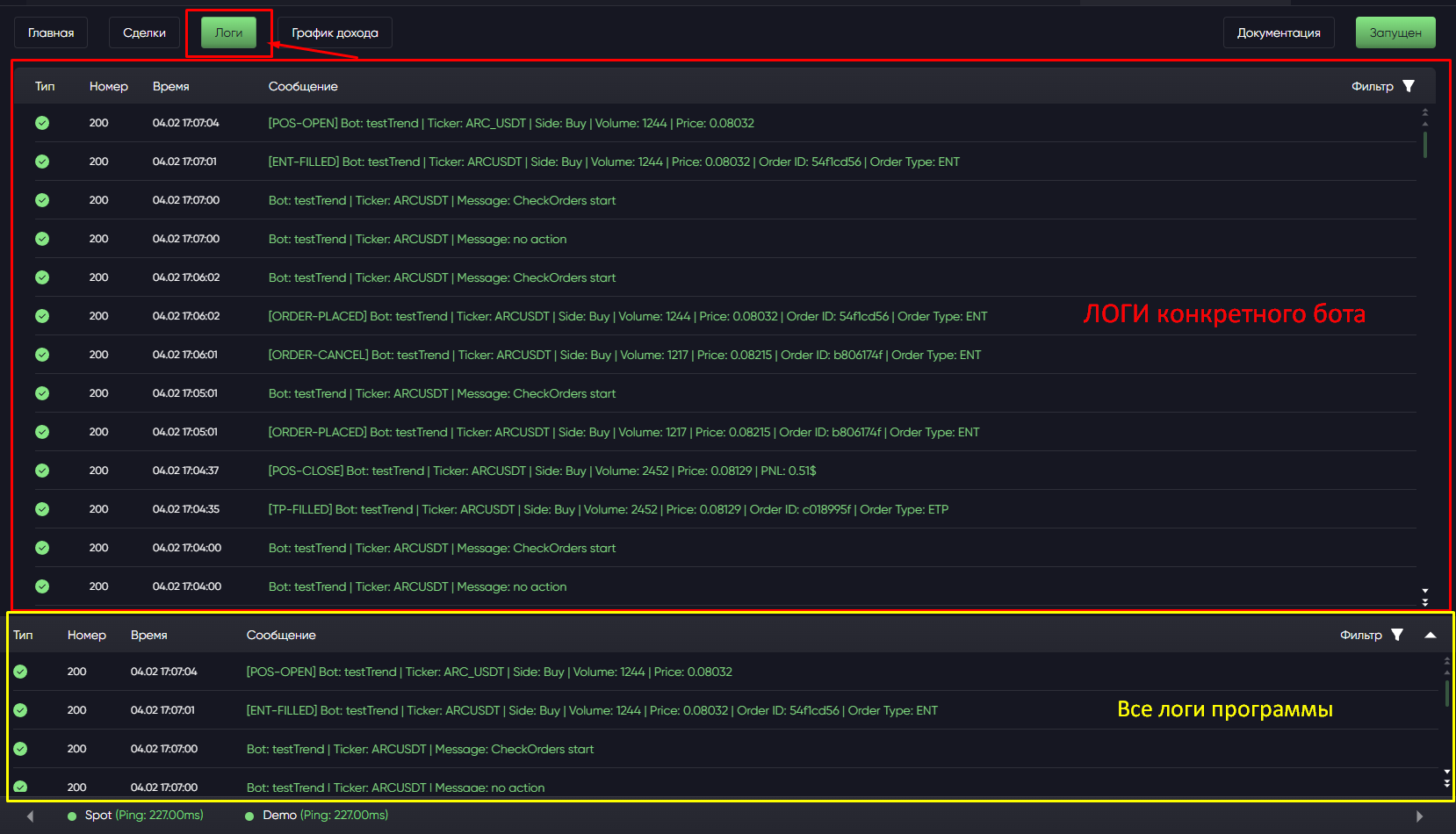
Then select **Logs**:

<figure><img src="https://4082298987-files.gitbook.io/~/files/v0/b/gitbook-x-prod.appspot.com/o/spaces%2FKc7Nf016DOaUrQGQAD20%2Fuploads%2Fgit-blob-725cb8034cb3fd10fc1bfc2e78ea0b1867e1c24d%2FScreenshot_2453.png?alt=media" alt="Bot logs"><figcaption></figcaption></figure>

These help explain missing entries, failed orders or exchange errors.

## Log files

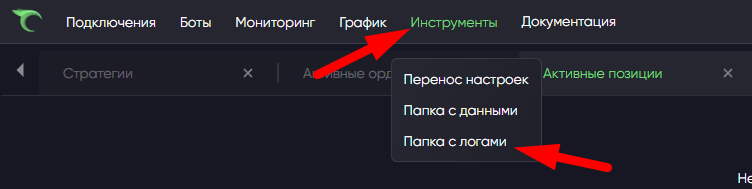
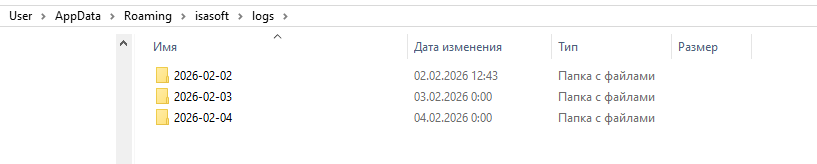
To send files to support, open **Tools → Logs folder**.

<figure><img src="https://4082298987-files.gitbook.io/~/files/v0/b/gitbook-x-prod.appspot.com/o/spaces%2FKc7Nf016DOaUrQGQAD20%2Fuploads%2Fgit-blob-f7196b3d000ef7b4ad1ebe77ddc80ccd35c3c4a5%2FScreenshot_2455.png?alt=media" alt="Open log folder menu"><figcaption></figcaption></figure>

The folder containing log files opens:

<figure><img src="https://4082298987-files.gitbook.io/~/files/v0/b/gitbook-x-prod.appspot.com/o/spaces%2FKc7Nf016DOaUrQGQAD20%2Fuploads%2Fgit-blob-b46516c90225692bdd156a959110a3f3e03f45f7%2FScreenshot_2456.png?alt=media" alt="Log files folder"><figcaption></figcaption></figure>

## What to look for

Note event time, bot name, ticker, connection, exchange error text and the action the terminal was performing.

For a manual support request, attach the log file and the problem time. See [Bug reports](/en/isa-terminal/baza-znanii/kak-otpravit-bag-report.md) for report details.

Copy the error text and look it up in [Common ISA errors](/en/isa-terminal/chastye-oshibki-isa.md) or [Common API errors](/en/isa-terminal/birzhi-i-podklyucheniya/chastye-oshibki-api.md).