> For the complete documentation index, see [llms.txt](https://docs.ispecalgo.com/llms.txt). Markdown versions of documentation pages are available by appending `.md` to page URLs; this page is available as [Markdown](https://docs.ispecalgo.com/en/isa-terminal/kak-sozdat-i-zapustit-torgovogo-bota/kak-sozdat-bota.md).
# Creating a bot
Before creating a bot, enable an exchange connection. Without an enabled connection, the terminal warns you and cannot create a bot. Make sure the selected pair or side is free: [Position modes](/en/isa-terminal/birzhi-i-podklyucheniya/one-way-rezhim.md).
## Open the creation form
### From the Bots menu
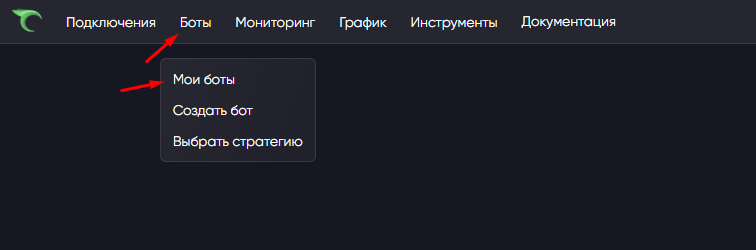
Select **Bots → Create bot** in the top menu.
The bot creation window opens.
### From Strategies
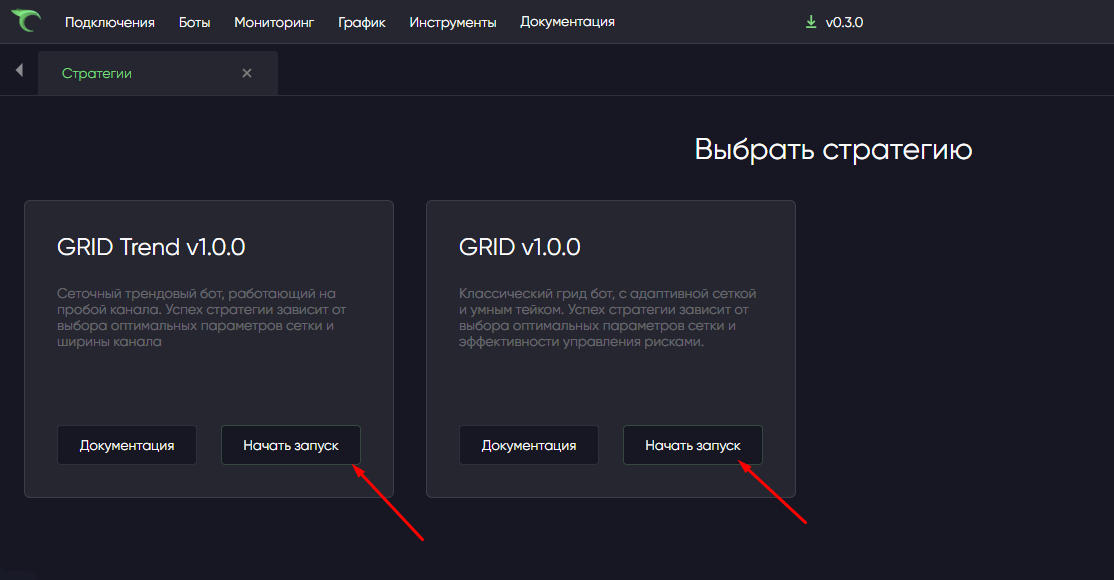
Open **Bots → Strategies**, select a strategy and click **Start launch**.
The same form opens with the strategy already selected.
### From My bots
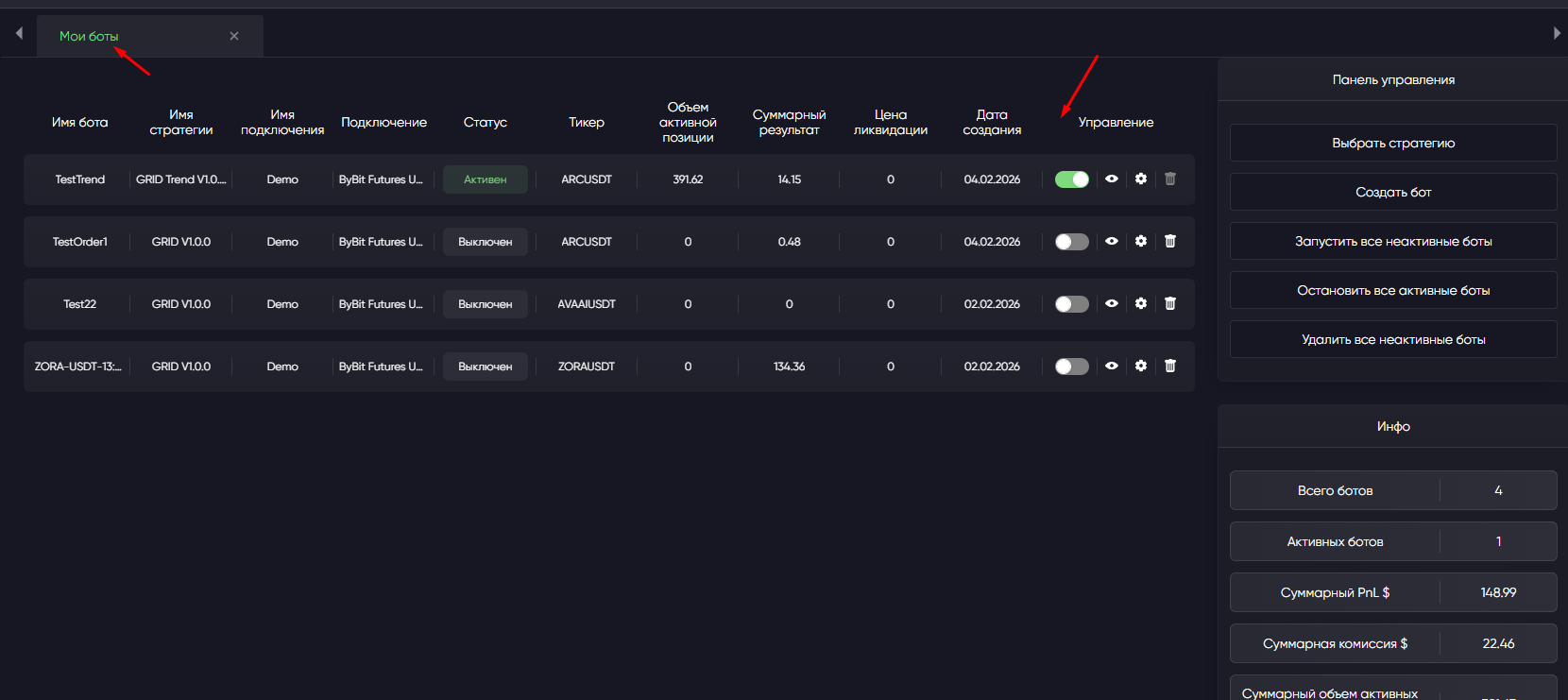
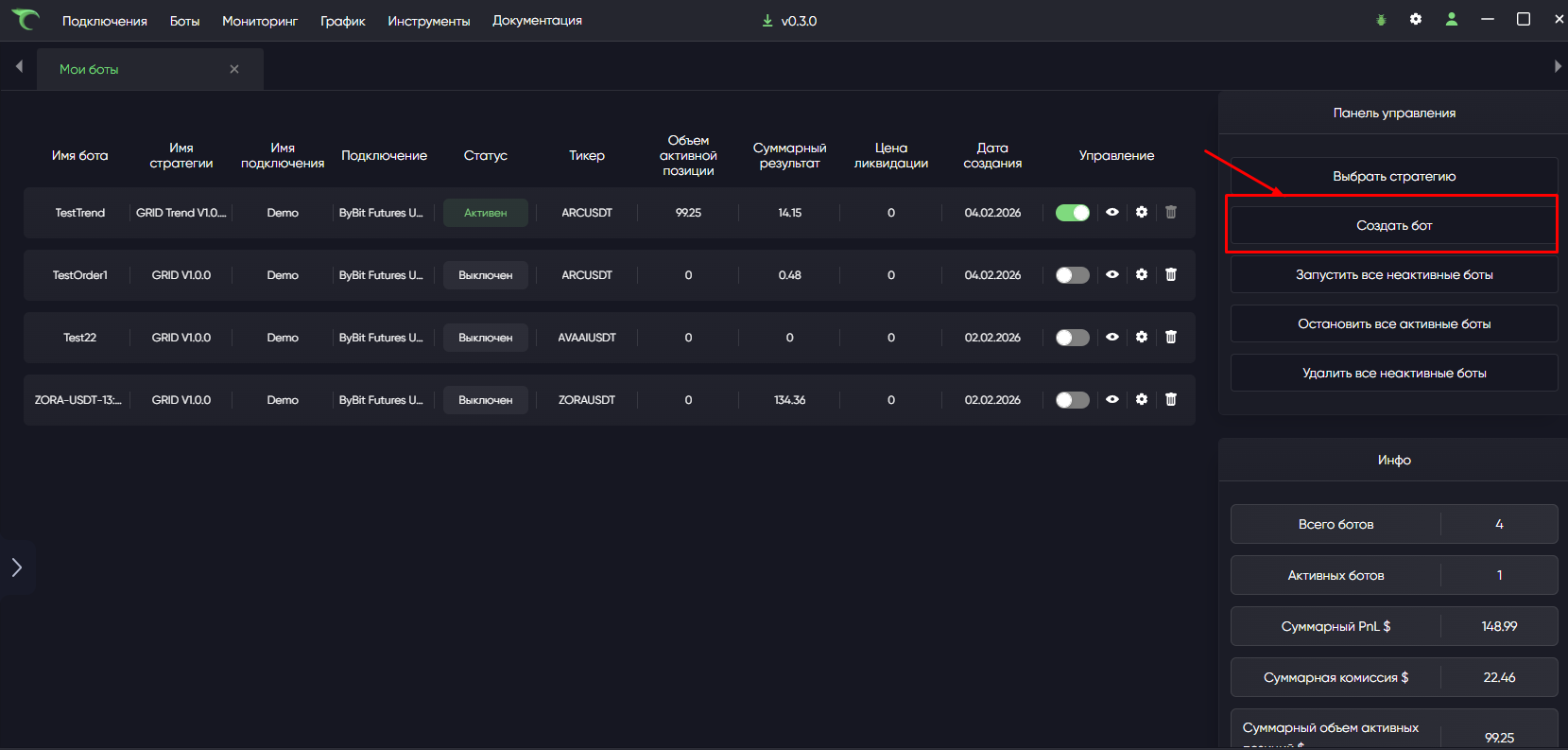
You can also create a bot from **My bots**.
## Form fields
| Field | What to select |
| ---------- | --------------------------------------------------------------------- |
| Connection | An enabled connection |
| Ticker | A coin pair, such as ETHUSDT |
| Strategy | A strategy available for the selected market |
| Version | For an AI-created strategy: the version you backtested |
| Bot name | A clear name |
| Timeframe | Candle interval: 1m, 5m, 15m, 1h, etc. |
| Settings | Strategy parameters: size, grid, take-profit, stops and other options |
## Connection
Only enabled connections appear. If the list is empty, a connection may be missing, disabled or in error. Open **Connections**, enable the one you need and wait for a normal status.
## Ticker
The ticker is the trading pair the bot uses, such as BTCUSDT, ETHUSDT or SOLUSDT. The list loads automatically after you choose a connection; availability depends on the exchange and Spot/Futures market.
Check **My bots**, including stopped bots, before creating: the pair or side must not be occupied.
## Strategy
Choose a strategy available for this connection.
For example, futures-only strategies do not appear for a Spot connection. Open a ready-made strategy's separate guide using **Documentation** on its card in **Bots → Strategies**.
### Your strategy's version
[AI-created strategies](/en/isa-terminal/own-strategies.md) have a **Version** field. Choose the version you tested on historical data. The list contains versions for the selected connection's market.
A created bot stays on that version. New versions do not update it automatically; create a new bot to use another version.
## Bot name
Choose a name that is easy to recognize in **My bots**, such as **BTC\_Longer\_1m**, **ETH\_Grid\_Spot** or **SOL\_Kachan\_5m**. A name already in use produces an error.
## Timeframe
A timeframe is the duration of one candle used by the bot: 1m is one minute, 5m five minutes, 15m fifteen minutes, and 1h one hour. Use the timeframe recommended in the strategy documentation or preset.
## Strategy settings
Click **Settings** to open the selected strategy's parameters.
These may include initial size, grid step, number of averaging steps, take-profit, stop-loss and strategy-specific options. Before your first launch, check at least initial size, maximum averaging steps, take-profit, stop-loss and total deposit risk. Use the [safe launch checklist](/en/isa-terminal/pervyi-zapusk-ot-nulya-do-bota/bezopasnyi-pervyi-zapusk.md).
## Create
Click **Create bot**. If the form is valid, the bot appears in **My bots**.
If creation is rejected, read the message and see [Common ISA errors](/en/isa-terminal/chastye-oshibki-isa.md).
The new bot is **stopped** and does not trade until you start it manually. Next: [Starting and stopping](/en/isa-terminal/kak-sozdat-i-zapustit-torgovogo-bota/zapusk-i-ostanovka.md).



.png?alt=media)