> For the complete documentation index, see [llms.txt](https://docs.ispecalgo.com/llms.txt). Markdown versions of documentation pages are available by appending `.md` to page URLs; this page is available as [Markdown](https://docs.ispecalgo.com/en/isa-terminal/kak-sozdat-i-zapustit-torgovogo-bota/upravlenie-botami.md).
# Managing bots
Manage bots you have already created: inspect them, change settings, delete them or use bulk actions. See also [Creating a bot](/en/isa-terminal/kak-sozdat-i-zapustit-torgovogo-bota/kak-sozdat-bota.md) and [Starting and stopping](/en/isa-terminal/kak-sozdat-i-zapustit-torgovogo-bota/zapusk-i-ostanovka.md).
## Main actions
| Action | How |
| ------------------- | ------------------------------------------------------------------------------------------------------- |
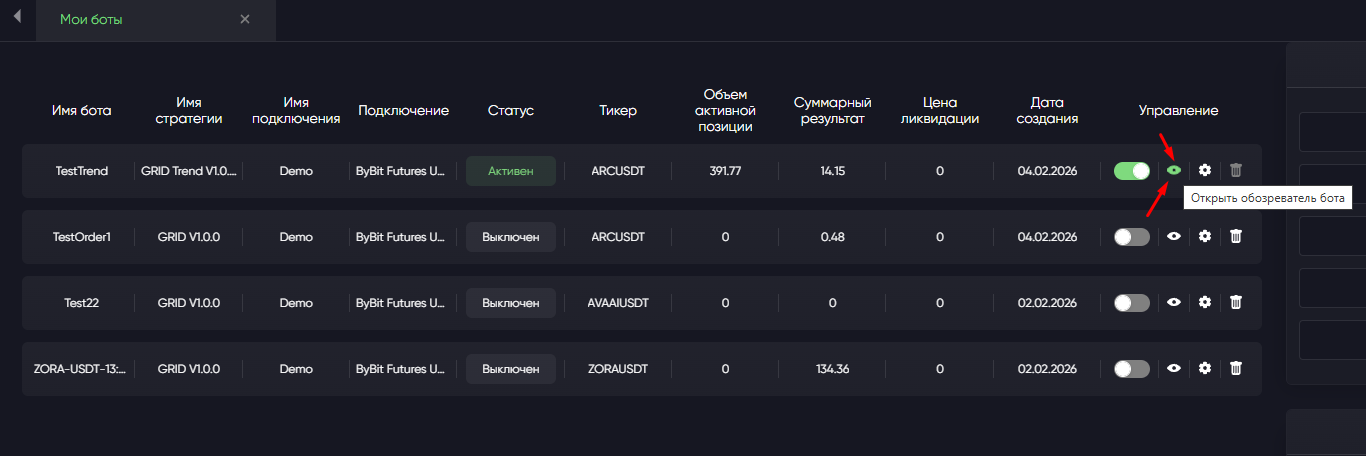
| Edit settings | Gear icon in the bot row |
| View a bot | View icon in the bot row |
| Delete | Delete icon; bot must be stopped with no active orders. A retained position needs separate confirmation |
| Start stopped bots | **Start all inactive bots** |
| Stop running bots | **Stop all active bots** |
| Delete stopped bots | **Delete all inactive bots** |
## Bot viewer
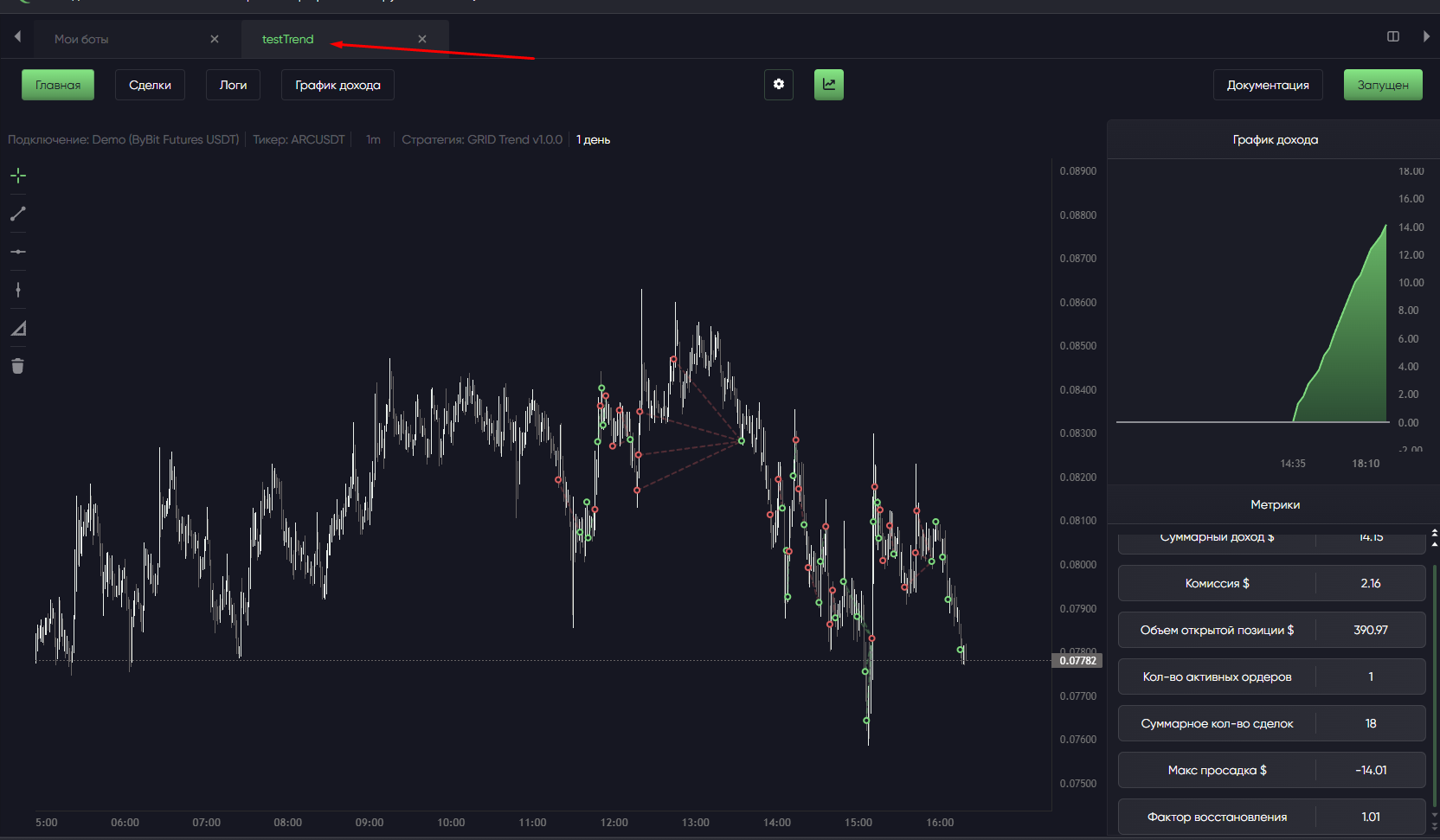
Use the viewer to understand what the bot is doing.
Check its chart, active orders, current position, execution history, logs, operating status, futures coin position mode and statistics.
If the bot does not enter or close a trade, or shows an error, start with the viewer and logs.
## Change settings
Click the gear icon. Some parameters affect risk and position size, and aggressive settings can quickly use your deposit. After changes, check how the bot will behave on this pair and timeframe.
When changing direction, make sure the required side is free: [Position modes](/en/isa-terminal/birzhi-i-podklyucheniya/one-way-rezhim.md). Some actions are restricted while a bot is active; stop it first if needed.
## Delete a bot
You can delete a stopped bot with no active orders. If a position remains, the terminal offers **Delete, leaving position** or **Cancel**.
If confirmed, the position remains on the exchange without the bot's management or stop. Deletion neither closes it nor transfers it to another bot. A new bot cannot adopt this unrelated futures position through an ordinary start.
> Deleting removes the bot's settings, history and statistics. They cannot be restored through the terminal. Use Stop for a temporary pause.
Check the exchange position and active orders first. If retaining a position, decide how you will manage it.
For a running bot: stop it, decide what to do with any position, check positions and orders on the exchange, confirm it is inactive, then delete only if you no longer need its history and statistics.
Do not delete a bot to fix an error: it destroys its history. Use [Common ISA errors](/en/isa-terminal/chastye-oshibki-isa.md) to investigate.
## Bulk actions
See [Starting and stopping](/en/isa-terminal/kak-sozdat-i-zapustit-torgovogo-bota/zapusk-i-ostanovka.md) for bulk start/stop procedures and result checks.
Bulk deletion of inactive bots irreversibly removes their local history and statistics. Check the entire selected list before confirming.
## If an action fails
Read the terminal message and see [Common ISA errors](/en/isa-terminal/chastye-oshibki-isa.md).